• All
  • Members Lounge
  • USB Type C
  • Docking Station
  • MST Hub
  • USB Graphics
  • Adapters and Cables
    • DisplayPort 1.4 to 4K120Hz HDMI Adapter
  • Graphics cards
    • R9 Series
      • R9 Fury Series
      • R9 390 Series
      • R9 380 Series
      • R9 290 Series
      • R9 280 Series
      • R9 270 Series
    • R7 Series
      • R7 300 Series
      • R7 260 Series
    • R5 Series
    • Others
    • HD 7000 Series
  • Technology
  • Market Place
    • Hot Deals
    • For Sale or Trade
  • Warranty questions
  • Never Settle Campaign
  • News

Club 3D Insights

  • Unfollow
  • Follow
  • Profile
  • Logout

CAC-1070 and LG 49UB850V trouble stereoscopic video

Updated on 08-06-2016 in Adapters and Cables.
  • Close
  • Delete
5 0 on 26-05-2016
DenisDA

I have Club 3D CAC-1070, HTPC (mb ASUS Z170I PRO GAMING, CPU Intel G4500, Intel HD 530, Windows 10 x64 Pro), 3D UHD TV 49UB850V. The motherboard has two outputs: HDMI 1.4a and DisplayPort 1.2.
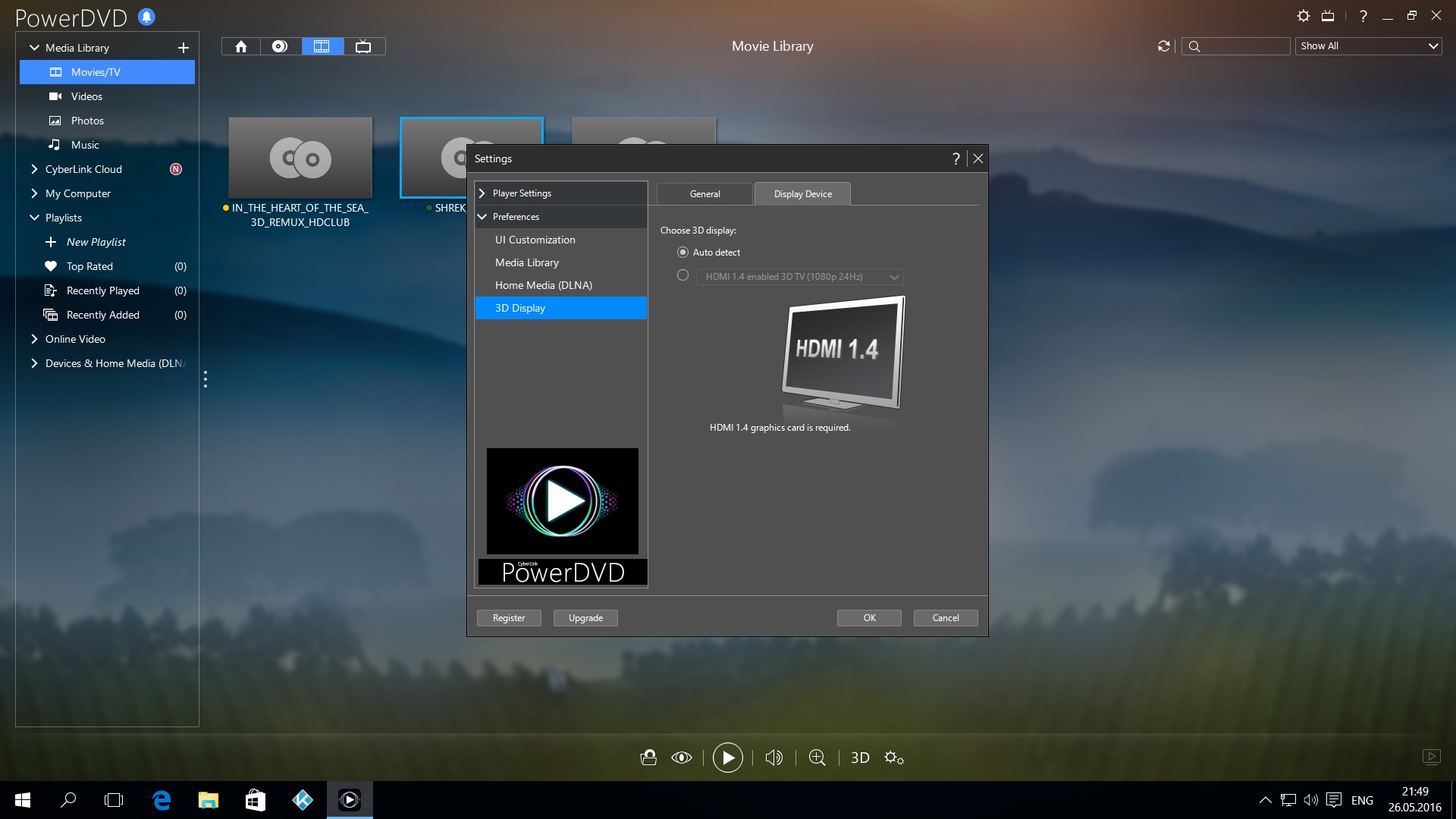
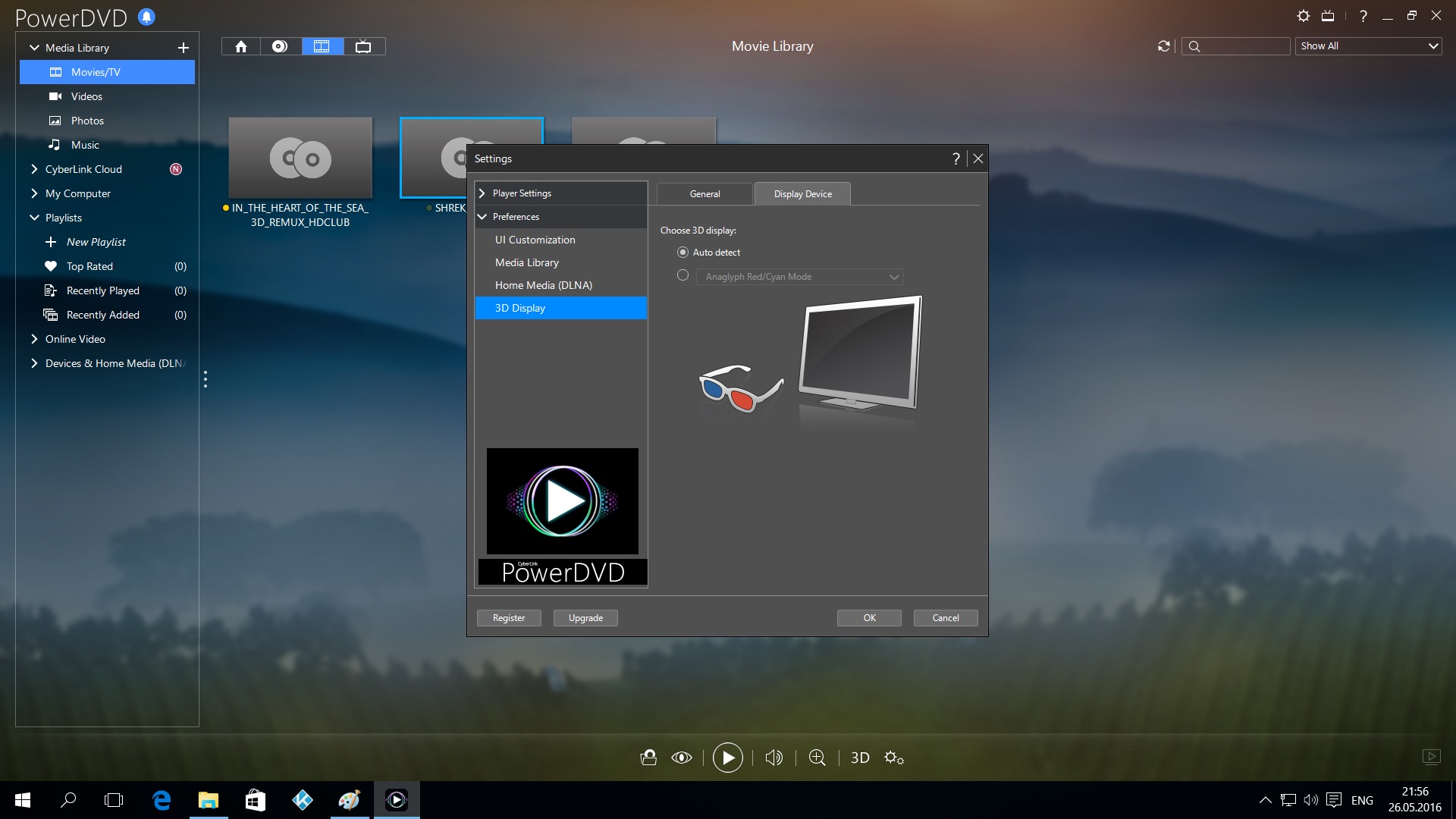
With the 2D modes there are no problems, up to a screen resolution 2160p60. Problem in the 3D mode when you launches stereoscopic video. In PowerDVD, via the CAC-1070 adapter, the fact that TV supports the 3D mode isn’t defined. In test builds Kodi with support 3D MVC the TV screen in case of switching on of the 3D mode becomes black with a text “the wrong format”, the sound from the movie goes. You disconnects the HDMI cable from the adapter and again you connects, the image appears in 2D (only the left foreshortening) with a screen resolution 2160p60 (according to TV). Though the screen resolution is set in 1080p60 in the HTPC settings. I wrote to the address [email protected], recommendations for elimination of a problem of 4K@60 in reply came. With it I have no problems. Problem in the wrong mode of the adapter in 3D framepacking when the screen resolution be the set 1920×1080@23,976Hz. Support of the mode of stereoscopic video is declared. I require nothing than promised any more. Correct this mode and you will send me a new correct firmware.

Insert Image Size must be less than < 5MB.
Save Cancel
Reply
1 0 on 26-05-2016
RoyalKing

Hi DenisDA, can you check which firmware version your adapter has at this moment? It’s mentioned on the label on the cable of the adapter. Thanks!
Insert Image Size must be less than < 5MB.
Save Cancel
Show more replies
0
DenisDA

This automatic detection 3D when it is connected to a HDMI-output.

It without closing PowerDVD switched to the CAC-1070 adapter.

And it is attempt to manually make the same mode, as through a HDMI.

Give correct!!! It is bad.

Reply
Reply Cancel
0 0 on 26-05-2016
DenisDA

Club 3D CAC-1070 REV.:A1-00 FW:7.1E 1610
I wrote this in other thread

Insert Image Size must be less than < 5MB.
Save Cancel
Show more replies
Reply
Reply Cancel
0 0 on 26-05-2016
DenisDA

How to do the update? Inside the archive there are no instructions. When you start AuxUpdate_0_06.exe creates an empty txt file with the name aux_update the message type to select the graphics, choose Intel – nothing happens

Insert Image Size must be less than < 5MB.
Save Cancel
Show more replies
Reply
Reply Cancel
0 0 on 08-06-2016
MST1407

continued over support email

Insert Image Size must be less than < 5MB.
Save Cancel
Show more replies
Reply
Reply Cancel
Login to Reply
Insert Image Size must be less than < 5MB.
Reply Cancel
  • All Posts
  • Following Posts
  • Blog
Copyright 2025 Club 3D B.V.