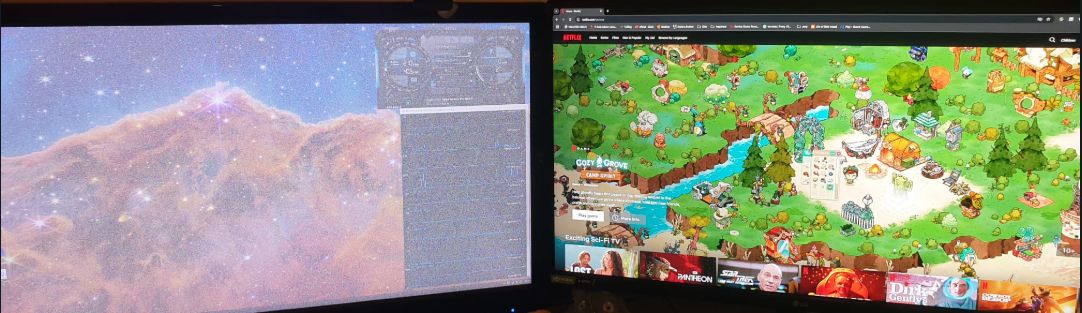
Hi, having the same issue as others on here with CAC-1010 and occasional fuzzy screen at 1440p.
Wondered if support could please send me the other firmware to try out. I've emailed support, twice, and no response in 5 days now.
Thanks!

To be clear, your issue is like that which is pictured at
/thread/flickering-problem-with-cac-1510-a-and-apple-cinema-display-30-on-mac-mini-m1/
?
I don't think that's an issue that can be corrected with firmware.
Club-3d has not acknowledged the issue because they have no way to fix it.
Oh, ok. I thought fuzzy meant everything was basically usable except for some fuzziness.
I think the snow described in that thread is more like random noise like a TV tuned between channels where nothing is visible. And the snow is coloured - not just black and white - which means all the RGB values are randomized? Like this? https://i.sstatic.net/fpBgo.gif
The snow is translucent so you can sort of see the desktop and windows through the snow?
That's a complicated effect. I would like to see a photo of that. I suppose the OS has a HDCP requirement that the adapter doesn't meet so the OS obscures everything with that static/snow.
What display do you have? Did you check the EDID to see if it supports HDCP?
Exactly right.
I'll see if I can take a photo next time it happens... it usually takes a few hard resets of the adapter to fix the issue (every boot) and at the minute it's working okay so I'm loathe to make it happen again right now lol.
Not sure about EDID, that's a new one for me. Screen is a QNIX Q2710LED (first edition) that only has DVI input. 1440p / 60Hz, not overclocked the monitor.
CRU is a utility that can extract EDID. It is mentioned in /thread/cac-1088-support-for-2560x2880-resolution/
Maybe you can post the hex of the EDID here and I can use edid-decode to parse the result.
Since the display is DVI, you might try a passive HDMI to DVI adapter or cable to connect the display if your PC has a HDMI output. Get the EDID for that connection type as well so they can be compared.
Do you remember if you got the HDCP-ON or HDCP-OFF version of the CAC-1010? Maybe try e-mail [email protected] again and specify that you want the latest firmware for both versions.
I purchased the "HDCP ON" version because the other version was for Apple Displays.
Link here : https://www.club-3d.com/en/detail/2479/displayport_to_dual_link_dvi…
Okay, got the utility... I can't see anything that says EDID though ?
Screenshots below.
Clipboard 1 and 2 are for the QNIX monitor with the snow issue.
Clipboard 3 is for my main monitor - an LG 1440p 144hz, just for reference.
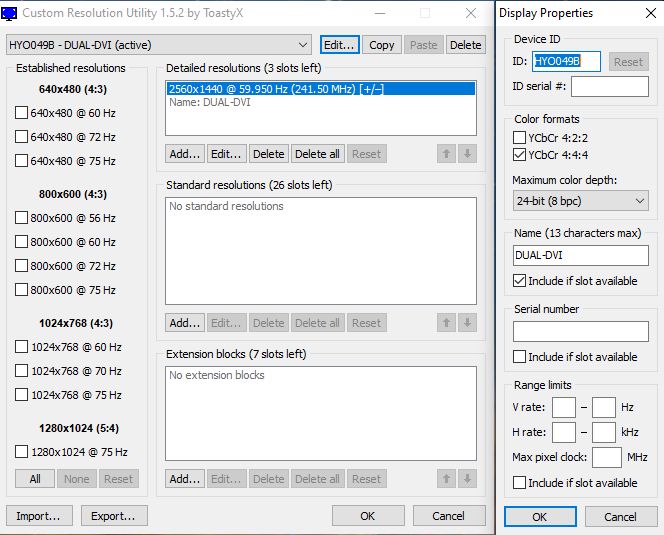
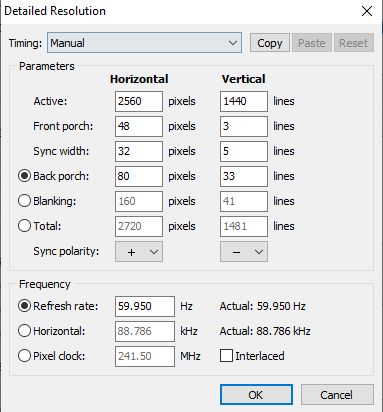
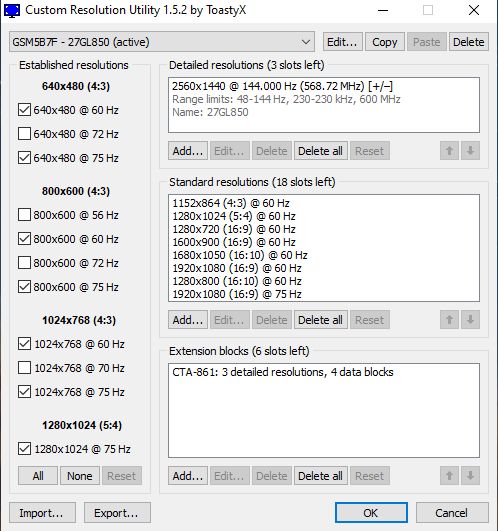
That EDID doesn't have HDCP info. The extension block is invalid. Is the EDID the same if you use a HDMI connection instead?
Although this forum does have the [ code ] / [ /code ] commands, it doesn't seem to be able to preserve indenting when pasting text:
edid-decode (hex):


00 ff ff ff ff ff ff 00 23 2f 9b 04 00 00 00 00
28 15 01 04 a5 3c 22 78 2a 6f b1 a7 55 4c 9e 25
0c 50 54 00 00 00 01 01 01 01 01 01 01 01 01 01
01 01 01 01 01 01 56 5e 00 a0 a0 a0 29 50 30 20
35 00 55 50 21 00 00 1a 00 00 00 fc 00 44 55 41
4c 2d 44 56 49 0a 20 20 20 20 00 00 00 fc 00 0a
20 20 20 20 20 20 20 20 20 20 20 20 00 00 00 fc
00 0a 20 20 20 20 20 20 20 20 20 20 20 20 01 08


ff ff ff ff ff ff ff ff ff ff ff ff ff ff ff ff
ff ff ff ff ff ff ff ff ff ff ff ff ff ff ff ff
ff ff ff ff ff ff ff ff ff ff ff ff ff ff ff ff
ff ff ff ff ff ff ff ff ff ff ff ff ff ff ff ff
ff ff ff ff ff ff ff ff ff ff ff ff ff ff ff ff
ff ff ff ff ff ff ff ff ff ff ff ff ff ff ff ff
ff ff ff ff ff ff ff ff ff ff ff ff ff ff ff ff
ff ff ff ff ff ff ff ff ff ff ff ff ff ff ff 7f


----------------


Block 0, Base EDID:
  EDID Structure Version & Revision: 1.4
  Vendor & Product Identification:
    Manufacturer: HYO
    Model: 1179
    Made in: week 40 of 2011
Basic Display Parameters & Features:
Digital display
Bits per primary color channel: 8
DisplayPort interface
Maximum image size: 60 cm x 34 cm
Gamma: 2.20
DPMS levels: Off
Supported color formats: RGB 4:4:4, YCrCb 4:4:4
First detailed timing includes the native pixel format and preferred refresh rate
Color Characteristics:
Red : 0.6533, 0.3339
Green: 0.2998, 0.6201
Blue : 0.1464, 0.0498
White: 0.3125, 0.3291
Established Timings I & II: none
Standard Timings: none
Detailed Timing Descriptors:
DTD 1: 2560x1440 59.950550 Hz 16:9 88.787 kHz 241.500000 MHz (597 mm x 336 mm)
Hfront 48 Hsync 32 Hback 80 Hpol P
Vfront 3 Vsync 5 Vback 33 Vpol N
Display Product Name: 'DUAL-DVI'
FAIL: Empty string.
Display Product Name: ''
FAIL: Empty string.
Display Product Name: ''
Extension blocks: 1
Checksum: 0x08


----------------


Block 1, Manufacturer-Specific Extension Block:
ff ff ff ff ff ff ff ff ff ff ff ff ff ff ff ff '................'
ff ff ff ff ff ff ff ff ff ff ff ff ff ff ff ff '................'
ff ff ff ff ff ff ff ff ff ff ff ff ff ff ff ff '................'
ff ff ff ff ff ff ff ff ff ff ff ff ff ff ff ff '................'
ff ff ff ff ff ff ff ff ff ff ff ff ff ff ff ff '................'
ff ff ff ff ff ff ff ff ff ff ff ff ff ff ff ff '................'
ff ff ff ff ff ff ff ff ff ff ff ff ff ff ff ff '................'
ff ff ff ff ff ff ff ff ff ff ff ff ff ff ff 7f '................'
FAIL: Unknown Extension Block.
Checksum: 0x7f


----------------


Failures:


Block 0, Base EDID:
Display Product Name: Empty string.
Display Product Name: Empty string.
Block 1, Manufacturer-Specific Extension Block:
Unknown Extension Block.


EDID conformity: FAILDVI is basically HDMI. Just need a passive HDMI to DVI adapter or cable. HDMI is single link so it will be limited to 1920x1200 or less.
No HDCP info means the EDID does not specify whether HDCP is supported or not. This info if it exists would be in the extension block. Your extension block is all 0xFF bytes which is not valid.