I can't seem to get 4k@60hz, I have even updated the adaptor's firmware. I have even changed 5 hdmi cables (two of them are definitely 2.0 18gbps).
On my television's hdmi port it's written 4k@60hz, I have tried with LG Ultra Colours ON / OFF, no success. (My tv supports up to 4:4:4 chroma sampling)
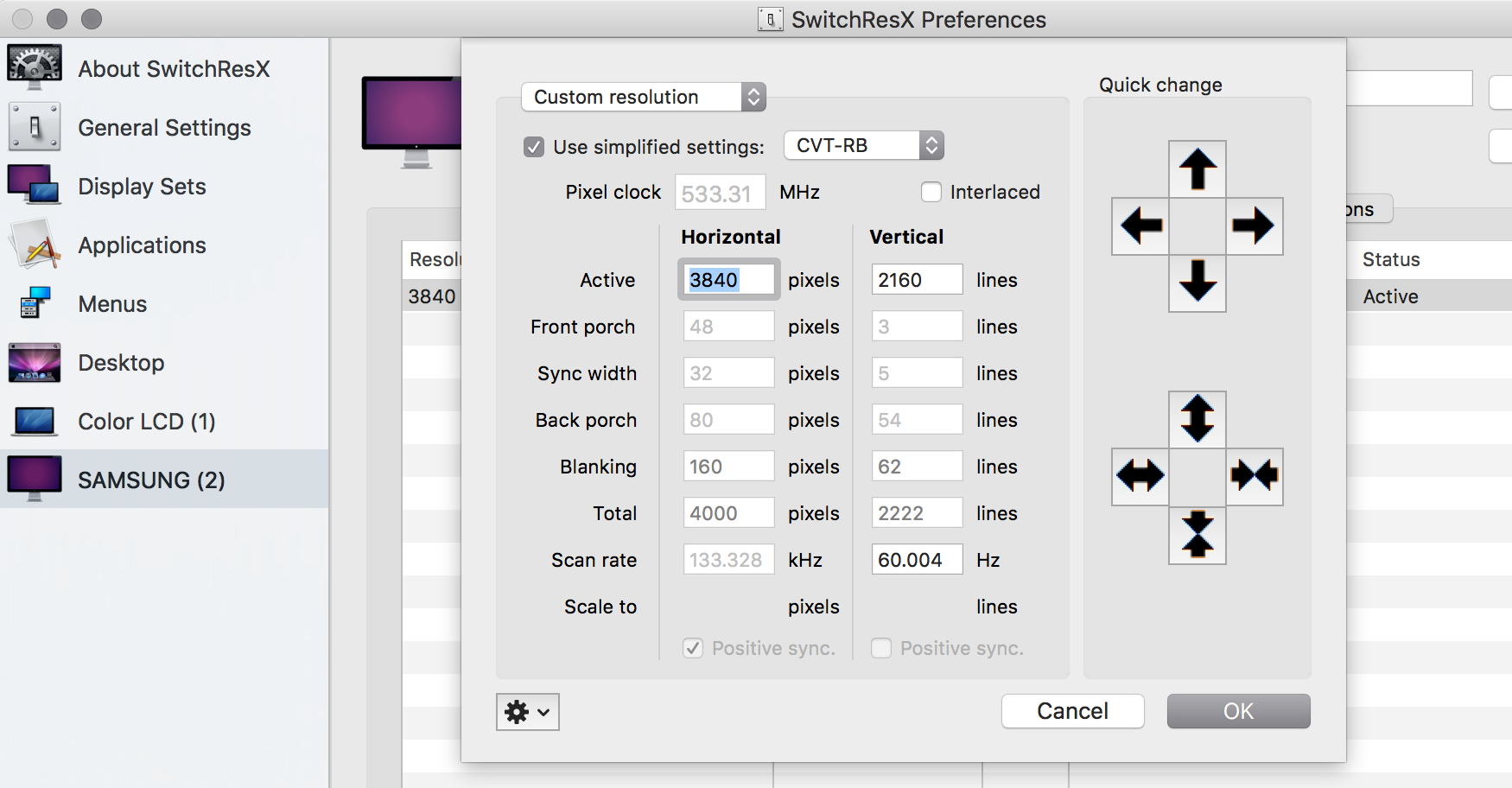
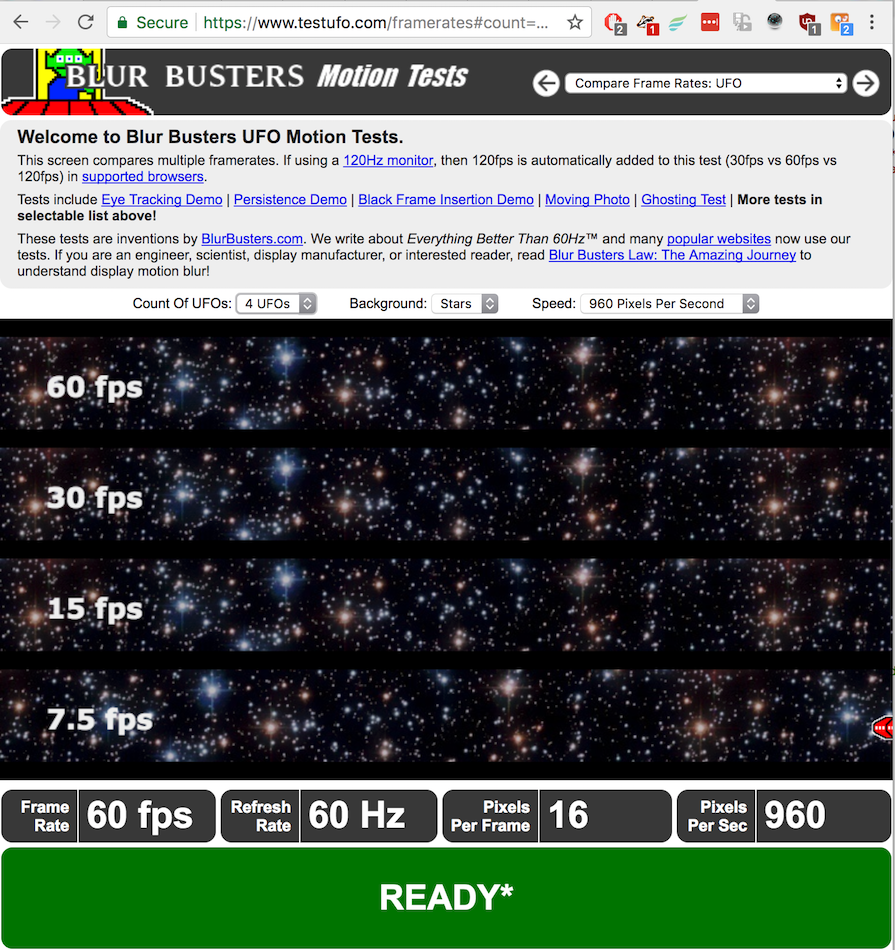
I have tried making custom resolutions with switchresx and somehow I can select 4k@60hz in switchresx buton tv it still shows 30hz on the top bar (tv menu), it even feels like 30hz. The awkward thing is that when I'm doing the hz test (testufo.com) it shows that I have 60hz.
I don't know what to say ... it doesn't feel like 60hz and my tv still shows that I have 4@30hz.
There aren't any improvement when changing between 4k@30hz and 4k@60hz.
Any suggestions ?
CAC-1170 + Macbook 15
My setup consists of :
rMBP 15" late 2013, rMBP 13" mid 2014, rMBP 15 mid 2015
Tv LG UF770V (capable of 4k@60hz and 4:4:4)
Hi Rosmoke, thank you for joining our forum!
Have you been in contact with our support team already on this issue?
If not, pls send a brief mail detailing your setup to [email protected] so our colleagues can assist with troubleshooting. Thanks!
I've just sent an email now even though I think it would be more useful for everybody we could figure it out in this forum. I'm sure more people will benefit from this.
This is my email:
Hi,
I’m trying to get 4k@60hz on my LG UF770V, I’m using a CAC-1170 adaptor (mini dp 1.2 to hdmi 2.0), hdmi cable 18gbps 2.0 (have tried 4 of them), the last hdmi cable actually allows me select 4k@60hz without the need of adding a custom resolution in switchresx.
On the back of my tv it’s written 4k@60hz, in the menu I enabled and disabled Lg Ultra Hd Deep Color, port 1 supports 4k@60hz (4:4:4, 4:2:2, 4:2:0).
When I select 3840 x 2160, 60 Hz (NTSC) HiDPI or the one without HiDPI the TV works ok, but shows 30hz, even in tv menu it shows 4k@30hz.
In http://www.testufo.com I get 60hz, in About This Mac / System Report… / Graphics/Displays / it shows the resolution : 3840 x 2160 @ 60 Hz.
I have also updated the firmware for this adaptor with ps176b0_0x07.0x00.0x23_encryt_bank12.hex (you have no idea how hard it was to find a computer with a dedicated gpu, windows, mini dp port).
I have tried it on 3 macbooks (Late 2013 rMBP 15”, Mid 2014 rMBP 13”, Mid 2015 rMBP 15"), two tv’s (LG UF770V (my tv), LG UF850V (friend’s tv)).
The third cable which I have bought is : http://www.ebay.ie/itm/391324200976?_trksid=p2057872.m2749.l2649&var=660570922231&ssPageName=STRK%3AMEBIDX%3AIT
This is the last hdmi cable which I have bought http://www.adverts.ie/cables/gold-plated-2m-high-speed-hdmi-2-0-cable-full-hd-1080p-2160p-4k-2k-3d-for-ps3-lcd-dvd-hdtv/9152841?notification=75e0c281cb8392a6bd3d3f18ec045ac1-1462058125#comment_68183533
<p class="p1">Basically I can choose 4k@60hz but in fact the tv displays 4k@30hz, even though the laptop informs me that the tv displays 4k@60hz.
What else can I do ?
Thanks,
Daniel Asofiei.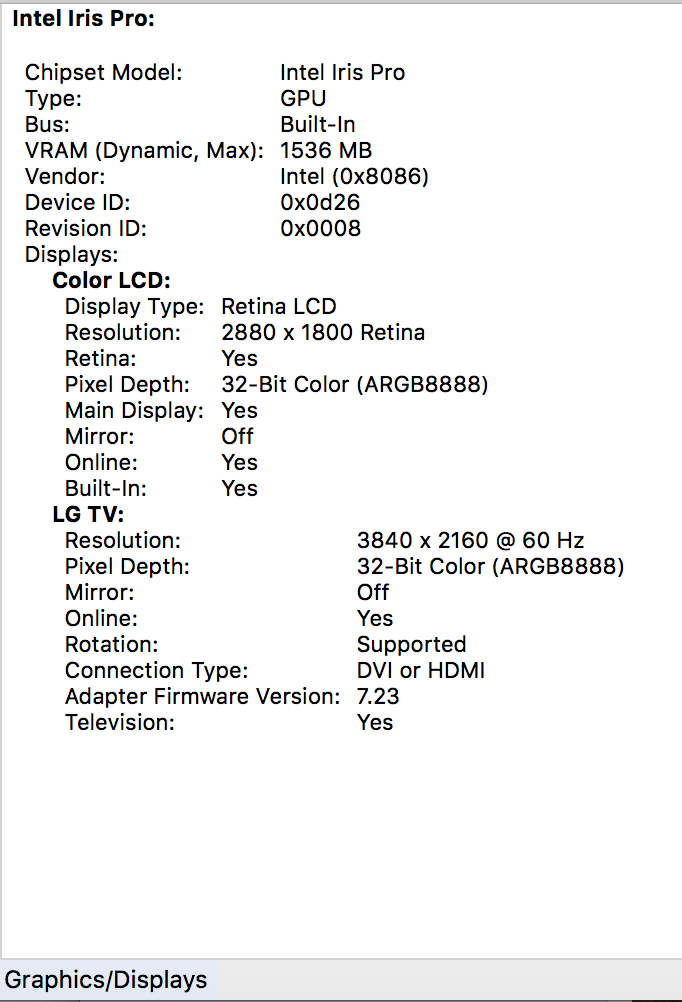
With the help of Club 3d I managed to make it work eventually !!!!
My problem was that switchresx has a bug and stops saving resolutions and I was trying with the ones which were already in switchresx (4k@60hz) BUT they didn’t had CVT-RB on.
I created a new user in OSX and switchresx started to save my custom resolutions.
Now it works with ultra hd on, when ultra hd is off, colours are pink.
My solution was to make sure I use a proper cable (I have tried with 3 cables and it didn't work, they were all advertised as 2.0 but they weren't), and make sure you make a custom resolution 4k@60hz with CVT-RB on.
This is a picture with my settings.
Good luck lads !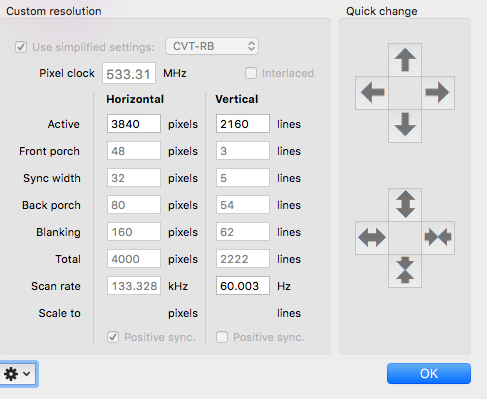
You haven't said if your MacBook is 13" or 15", be aware that the 13" one is not capable of outputting 4k@60hz, my wife has the 13" Mid 2014 and it doesn't work.
It's a Mid 2014 MacBook Pro 15" with an NVIDA GeForce GT 750M 2GB. I also have a late 2013 MBP 15" with the same video card, both of which should be able to do 4k@60hz according to Apple https://support.apple.com/en-us/HT206587
kphs, I have it running on a late 2013 MBP Retina 15" and a mid 2015 MBP Retina 15", if you are sure that you tv has a hdmi port capable of 4k@60hz and you also used switchresx with the settings from above, you should change your hdmi cable till you get one capable of 4k@60hz, I had tried with 3 cables before I finally got one capable. Choose one thick and with a textile protective coating. Hope this helps.
For any (future proof) 4K HDMI experience it's worthwhile to buy a Premium Certified HDMI cable like our CAC-1310. These are tested to ensure they support the full 18Gbps bandwidth needed for 4K 60Hz while remaining affordable.
http://www.hdmi.org/manufacturer/premiumcable/Premium_HDMI_Cable_Certification_Program.aspx
I can't seem to get it work on my Macbook Pro 15" (2015). I'm running El Captain on my mac and using Club 3D 4k/60Hz cable and Club 3d Mini DisplayPort 1.2 to HDMI 2.0 adapter. I can save my settings in SwitchResX with no problem. But I cannot install them at all. It just shows "Not Installed". I have enabled Enhanced Mode on my Sony X800D which allows me to output 4k/60Hz 4:4:4, but the problem persists. This has been driving me nuts.
Ok, I finally resolved the issue. It was just the same old SwithResX bug which requires me to create a new user profile and create a custom res as that user and installed it. I didn't have much expectation when I decided to take that route since I had no problem saving custom res. It just that SwitchResX didn't let me install it. And also talking to SwitchResX team wasn't that helpful. They just basically said either I have incompatible TV or a broken adapter. When I created a custom res and installed it as a new user, it let me install the custom res with no problem.