
CSV 6400 defaulting to 640x480 with HP dvi adapter

5 replies

As homework solution and will to drive 4x 19" iiyama ProLite B1906S monitor i bought a CSV-6400, but i cannot get them or even one monitor to work properly.

The behaviour im seeing w is that the screen is showing 640x480 resolution (in windows, but also during bios POST) monitor's native resolution is 1280x1024 it displays like this, with a pink column left of it:
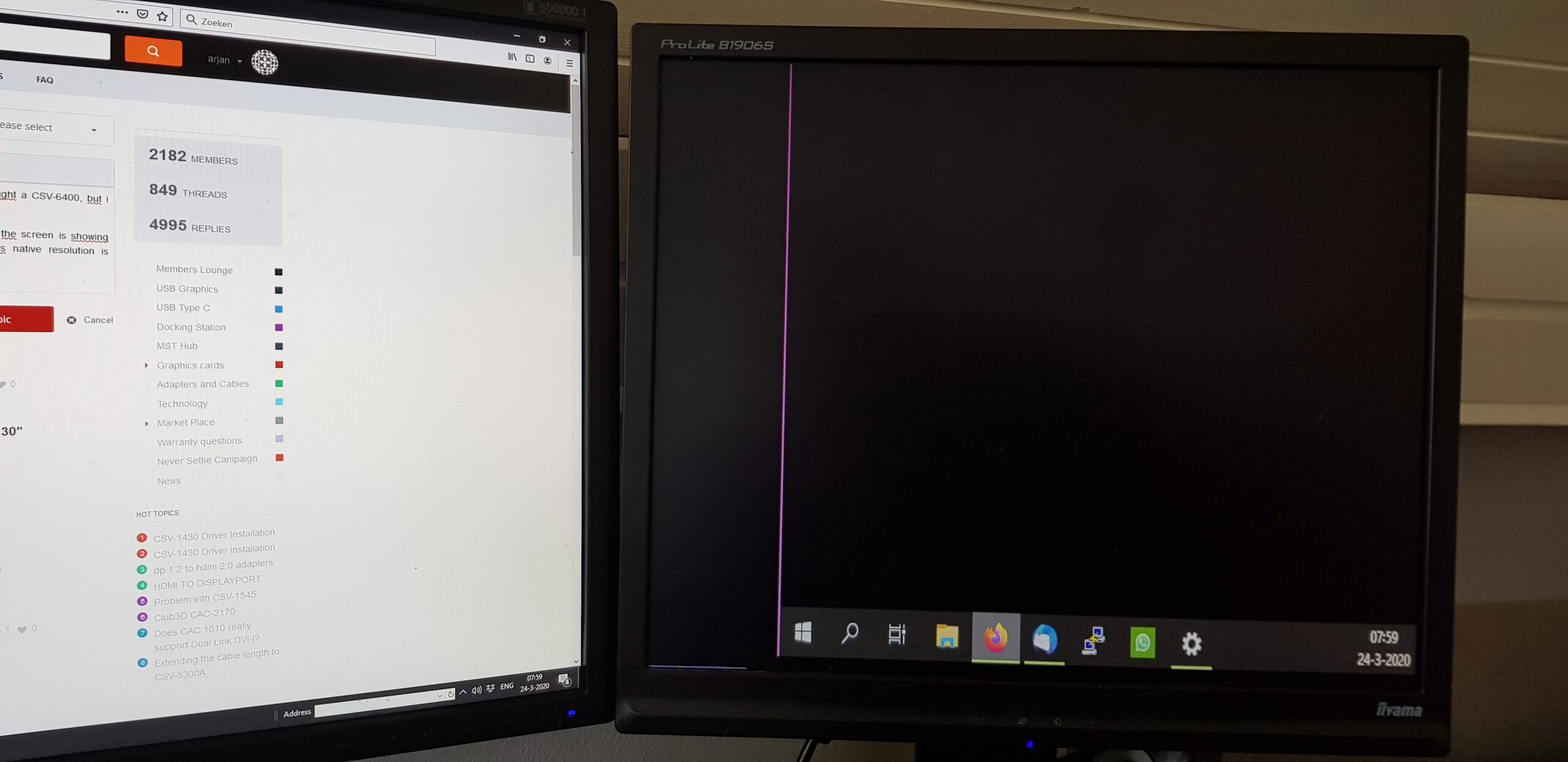
also it alternates by showing this screen for 2 seconds, then 2 seconds black screen.

i tried unhooking everything and then just add a single monitor, behaviour remains the same

I'm using a standard DVI cable with a HP P/N-481409-001 Bizlink0952  DP->dvi adapter. (even tried 2 other p/n but still HP bizlink adapters) Im unaware my this adapter is active or passive, it does not have its own power-supply.

Got the CSV-6400's power supplie from an old 1A HTC phone-charger and its uplink DP to my sapphire amd radeon 290 (non x). Running windows 10, installed laters radeon drivers

I'm hoping someone can pinpoint the problem at the adapter (or perhaps my monitors), since monitors and adapters are free leftovers from work. i'm reluctant to just buy 4 new adapters and/or cable's  (also with corona crisis delivery times and/or prices are crazy) with the chance there funtionally the same as the adapter's im using now

(note that the monitor on the left (samsung 2443bw) displaying this page/post  is driven sraight from GPU, using the DVI output )

(. i also tried hooking this monitor with the adapter to the MST hub, but this displays same behaviour, defaulting to 640x480 with pink border)

arjan wrote:

I’m using a standard DVI cable with a HP P/N-481409-001 Bizlink0952  DP->dvi adapter. (even tried 2 other p/n but still HP bizlink adapters) Im unaware my this adapter is active or passive, it does not have its own power-supply.

Hi Arjan I have no idea what you are trying to tell here.

could you limited it to how you are using the CSV-6400 since that is the main focus. do you connect this directly form your DP output on the Sapphire R9 290?

Sapphire R9 290 displayport  -> CSV-6400 MST Hub (powered by the HTC 1Amp charger) ->  HP branded DisplayPort to DVI adapter ->  Generic unbranded DVI cable ->  19″ iiyama ProLite B1906S (but also tried with Samsung 2443BW)

tried multiple HP branded adapters, and tried multiple monitors (2x iiyama, 1x samsung, as stated above)

all produces a 640x480 image with pink border in both windows as well as Bios POST. Windows will not allow me to change resolution

Well ok..

I bought replacement displayport to dvi cables.. Just generic cheap cables. Less messy then adapter and seperate cable anyway.. 

But they worked perfectly fine. Running 4 monitors atm (3 19" inches on MST Hub, the 24" is still on dvi as i'm expecting a 4th 19")

Log in to reply or create an account