• All
  • Members Lounge
  • USB Type C
  • Docking Station
  • MST Hub
  • USB Graphics
  • Adapters and Cables
    • DisplayPort 1.4 to 4K120Hz HDMI Adapter
  • Graphics cards
    • R9 Series
      • R9 Fury Series
      • R9 390 Series
      • R9 380 Series
      • R9 290 Series
      • R9 280 Series
      • R9 270 Series
    • R7 Series
      • R7 300 Series
      • R7 260 Series
    • R5 Series
    • Others
    • HD 7000 Series
  • Technology
  • Market Place
    • Hot Deals
    • For Sale or Trade
  • Warranty questions
  • Never Settle Campaign
  • News

Club 3D Insights

  • Unfollow
  • Follow
  • Profile
  • Logout

HD 7970 GHz Edition royal Ace graphical errors

Updated on 09-05-2016 in HD 7000 Series.
  • Close
  • Delete
7 0 on 18-11-2015
Sebastian

Hi, i’m using a HD 7970 GHz Edition royal Ace.
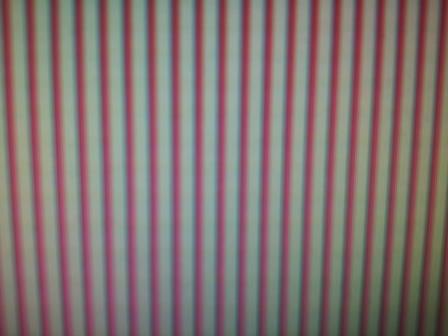
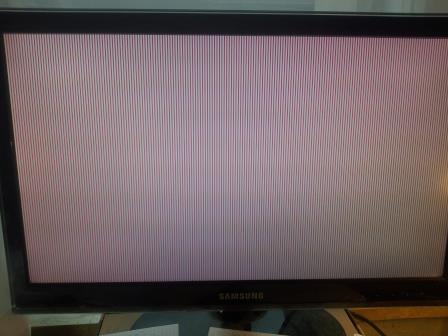
Sometimes i get some strange graphical errors, like in the attached Pictures so i have to restart my computer. They are not reproducible and occure mostly after standby, sometimes after starting the browser or directly after starting a game. It happens not very often, mostly i can play for hours, meaning the card is fully loaded. So i don’t think it’s a heat problem. Also stress tests and benchmarks are working fine. Even CPU and memory tests like prime or MemTest are working witout any Issue. In another PC the card has the same errors.
I have no idea what’s the problem, may you know whats the problem. Please help!

Thank you and sorry for my bad english….

Insert Image Size must be less than < 5MB.
Save Cancel
Reply
0 0 on 18-11-2015
Sebastian

And the card is running at stock clocks and voltages…

Insert Image Size must be less than < 5MB.
Save Cancel
Show more replies
Reply
Reply Cancel
2 0 on 18-11-2015
MST1407

Hi Sebastian,

If you can run games on your Graphics Card and benchmark test will run fine, the chance that there is anything wrong with your Graphics Card is not very big.
Sometime these type of errors happen due to (static) electrical issues.
Please make sure to use a power outlet with ground for your PC and if possible a power outlet with Ground for the Screen. 

Hope it helps

Insert Image Size must be less than < 5MB.
Save Cancel
Show more replies
0
Sebastian

Hi, MST1407, 
thank you for your fast answer!
I’dont know i understand you right.  You say power outlet with ground, meaning the 
power circuit in my apartment?
This could be a problem, cause it’s an very old house so i assume there is just no
real ground.

0
Sebastian

But its good to hear you don’t think the card is damaged! 🙂

Reply
Reply Cancel
2 0 on 30-03-2016
Sebastian

Hi, it’s me again.
So after a lot of testing with different computers, power outlets, monitors, cables and also other apartments ;), i know it’s definitely a problem of the card itself. I had the same errors on every scenario…
There is also no damaged capacitor from what i can see on the card, meaning nothing is bloated or something. 
Do you have any further ideas what the problem causes? 
Last option i want to try is the latest bios.
So could you please send me the latest bioses (bios 1 and 2) or tell me where i can get it?

Insert Image Size must be less than < 5MB.
Save Cancel
Show more replies
0
MST1407

Hi Sebastian,

Please send a picture of the backside of your card to [email protected]
There should be stickers there with Serial NR. / Item Code / Production Nr. Need thsoe to determine which bios is needed.
Thanks

0
Rasmus234

Hi,

I actually have that same issue with a Radeon PokerSeries HD 7850
royalKing. I have tried all the same things, to no avail.

Does updating the BIOS potentially solve this issue ?

Reply
Reply Cancel
Login to Reply
Insert Image Size must be less than < 5MB.
Reply Cancel
  • All Posts
  • Following Posts
  • Blog
Copyright 2025 Club 3D B.V.