
• All
  • Members Lounge
  • USB Type C
  • Docking Station
  • MST Hub
  • USB Graphics
  • Adapters and Cables
    • DisplayPort 1.4 to 4K120Hz HDMI Adapter
  • Graphics cards
    • R9 Series
      • R9 Fury Series
      • R9 390 Series
      • R9 380 Series
      • R9 290 Series
      • R9 280 Series
      • R9 270 Series
    • R7 Series
      • R7 300 Series
      • R7 260 Series
    • R5 Series
    • Others
    • HD 7000 Series
  • Technology
  • Market Place
    • Hot Deals
    • For Sale or Trade
  • Warranty questions
  • Never Settle Campaign
  • News

Club 3D Insights

  • Unfollow
  • Follow
  • Profile
  • Logout

CAC-1010 some resolution @60Hz abnoramlly with Eizo FlexScan EV2736W

Updated on 20-03-2020 in Adapters and Cables.
  • Close
  • Delete
8 0 on 31-01-2020
macminiuser3d

use 2560×1440@60hz then the Monitor with show 1280×1440, but change to 30Hz, it is no issue
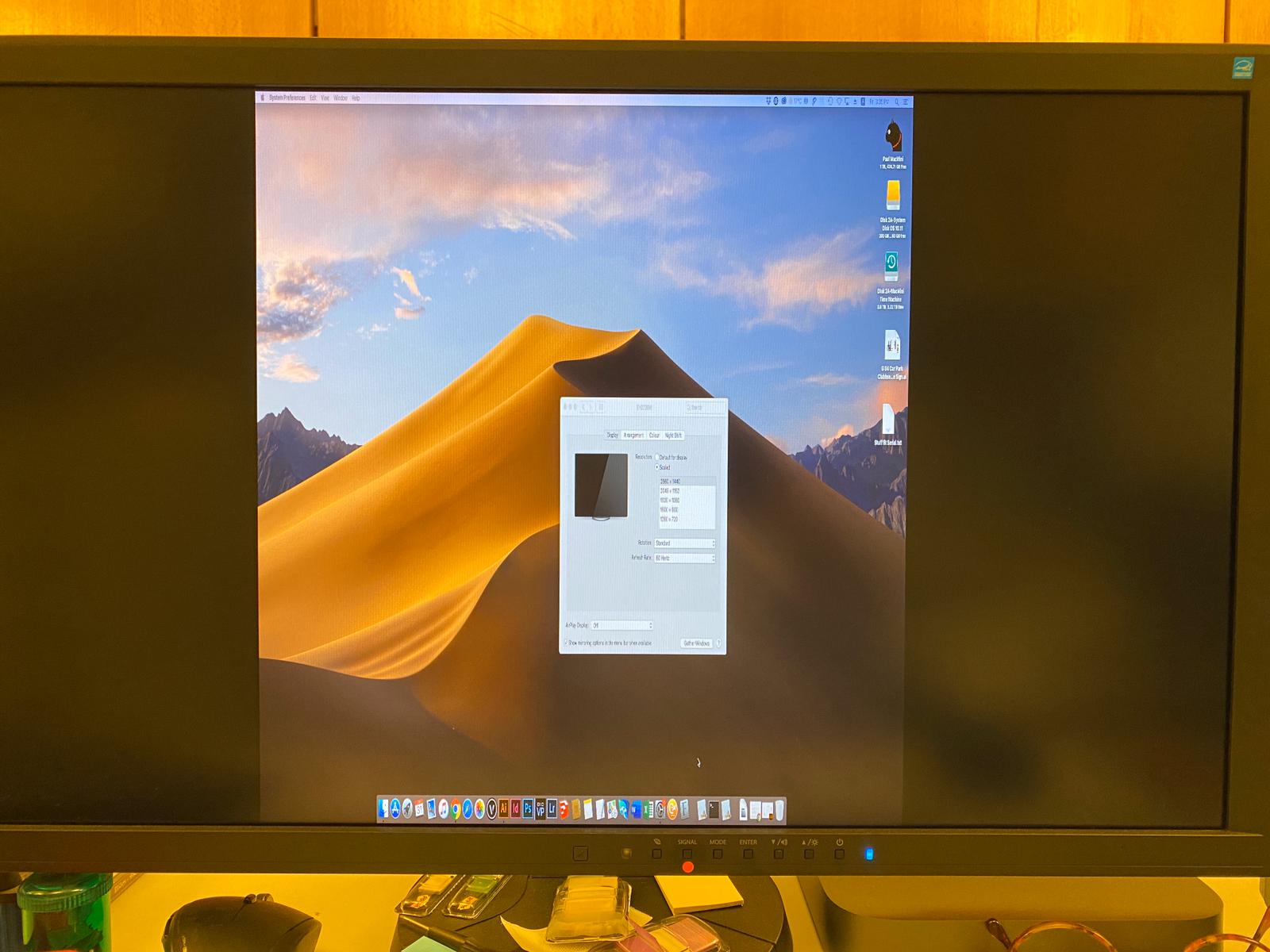
And change to 1920×1080 , it will be normal.

But I need use 2560×1440@60hz

Insert Image Size must be less than < 5MB.
Save Cancel
Reply
2 0 on 31-01-2020
CLUBBIE

Hello,

Which mac os version are you running?


Insert Image Size must be less than < 5MB.
Save Cancel
Show more replies
0
macminiuser3d

10.14.6

0
macminiuser3d

macmini 2018 with Akitio Node egpu
Display Card :MSI Radeon RX 580 256bit 8GB

Reply
Reply Cancel
1 0 on 31-01-2020
CLUBBIE

Hi,

the resolution is hidden in the display options, when you hold down the “option” Key while changing the resolution 2560*1600 can be selected.


Please let me know if this work around fixes the problem

Insert Image Size must be less than < 5MB.
Save Cancel
Show more replies
0
macminiuser3d

After hold down option key to select resolution, there is not show 2560*1600 .

Reply
Reply Cancel
2 0 on 20-03-2020
Milo

I have the same problem with a mac mini and a CAC-1010 on an Apple Display 30 screen. The maximum resolution is 1280×800

Insert Image Size must be less than < 5MB.
Save Cancel
Show more replies
0
CLUBBIE

Hi Milo,

have you tried the option mentioned, earlier ?

the resolution is hidden in the display options, when you hold down the “option” Key while changing the resolution 2560*1600 can be selected.

0
Milo

I answer as the previous user, after hold down option key to select resolution, there is not show 2560×1600.

Reply
Reply Cancel
Login to Reply
Insert Image Size must be less than < 5MB.
Reply Cancel
  • All Posts
  • Following Posts
  • Blog
Copyright 2025 Club 3D B.V.