
• All
  • Members Lounge
  • USB Type C
  • Docking Station
  • MST Hub
  • USB Graphics
  • Adapters and Cables
    • DisplayPort 1.4 to 4K120Hz HDMI Adapter
  • Graphics cards
    • R9 Series
      • R9 Fury Series
      • R9 390 Series
      • R9 380 Series
      • R9 290 Series
      • R9 280 Series
      • R9 270 Series
    • R7 Series
      • R7 300 Series
      • R7 260 Series
    • R5 Series
    • Others
    • HD 7000 Series
  • Technology
  • Market Place
    • Hot Deals
    • For Sale or Trade
  • Warranty questions
  • Never Settle Campaign
  • News

Club 3D Insights

  • Unfollow
  • Follow
  • Profile
  • Logout

CSV-1550: ROG Zephyrus G14

Updated on 07-01-2021 in MST Hub.
  • Close
  • Delete
1 0 on 14-11-2020
IDGeek

Hi,

I purchased the CSV-1550 to use with an ROG Zephyrus G14 and a couple Freesync monitors. I have another USB-C MST hub that works correctly (no Freesync though), so I know the alt mode port is okay. However, when I plug the CSV-1550 into that port and plug in a DP monitor, it doesn’t work as expected. No extra displays are showing in Windows display settings or the Nvidia Control Panel.

In Device Manager, the device shows up as “USB 2.0 BILLBOARD”.
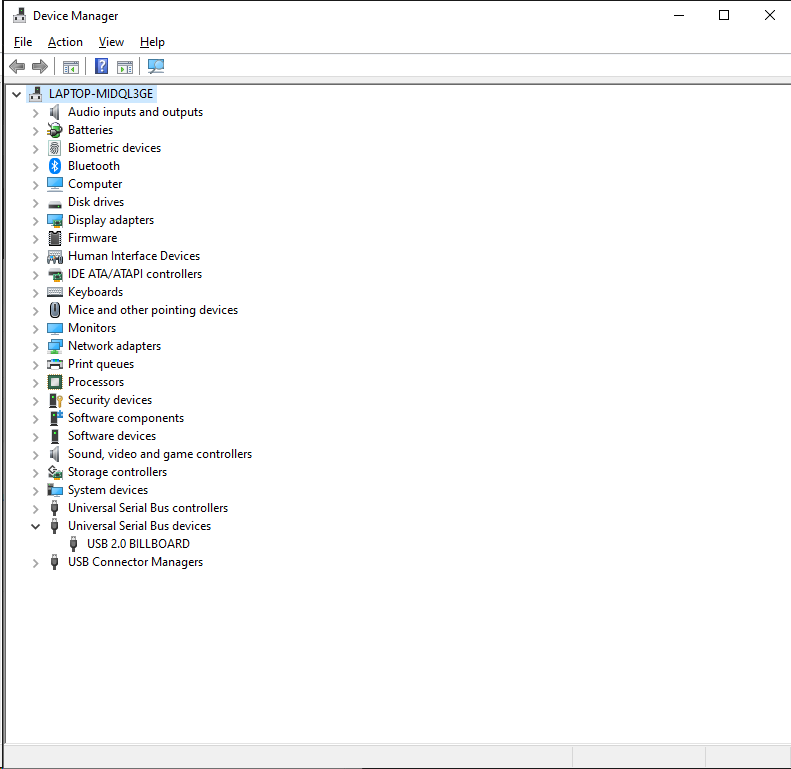
I have tried pressing the reset button underneath. I tried running Windows update to see if any drivers would show up there. I also tried restarting the computer. Is there anything else that I may need to do to get this working, or is it just not compatible with this laptop?

Insert Image Size must be less than < 5MB.
Save Cancel
Reply
0 0 on 07-01-2021
MichaelIsMe

I just received the same hub, to plug into the same laptop model, with the same graphics card. Hub input is blinking, laptop does not discover hub or monitors (brand new). I need help, fast, as this is business use.

Insert Image Size must be less than < 5MB.
Save Cancel
Show more replies
Reply
Reply Cancel
Login to Reply
Insert Image Size must be less than < 5MB.
Reply Cancel
  • All Posts
  • Following Posts
  • Blog
Copyright 2025 Club 3D B.V.