• All
  • Members Lounge
  • USB Type C
  • Docking Station
  • MST Hub
  • USB Graphics
  • Adapters and Cables
    • DisplayPort 1.4 to 4K120Hz HDMI Adapter
  • Graphics cards
    • R9 Series
      • R9 Fury Series
      • R9 390 Series
      • R9 380 Series
      • R9 290 Series
      • R9 280 Series
      • R9 270 Series
    • R7 Series
      • R7 300 Series
      • R7 260 Series
    • R5 Series
    • Others
    • HD 7000 Series
  • Technology
  • Market Place
    • Hot Deals
    • For Sale or Trade
  • Warranty questions
  • Never Settle Campaign
  • News

Club 3D Insights

  • Unfollow
  • Follow
  • Profile
  • Logout

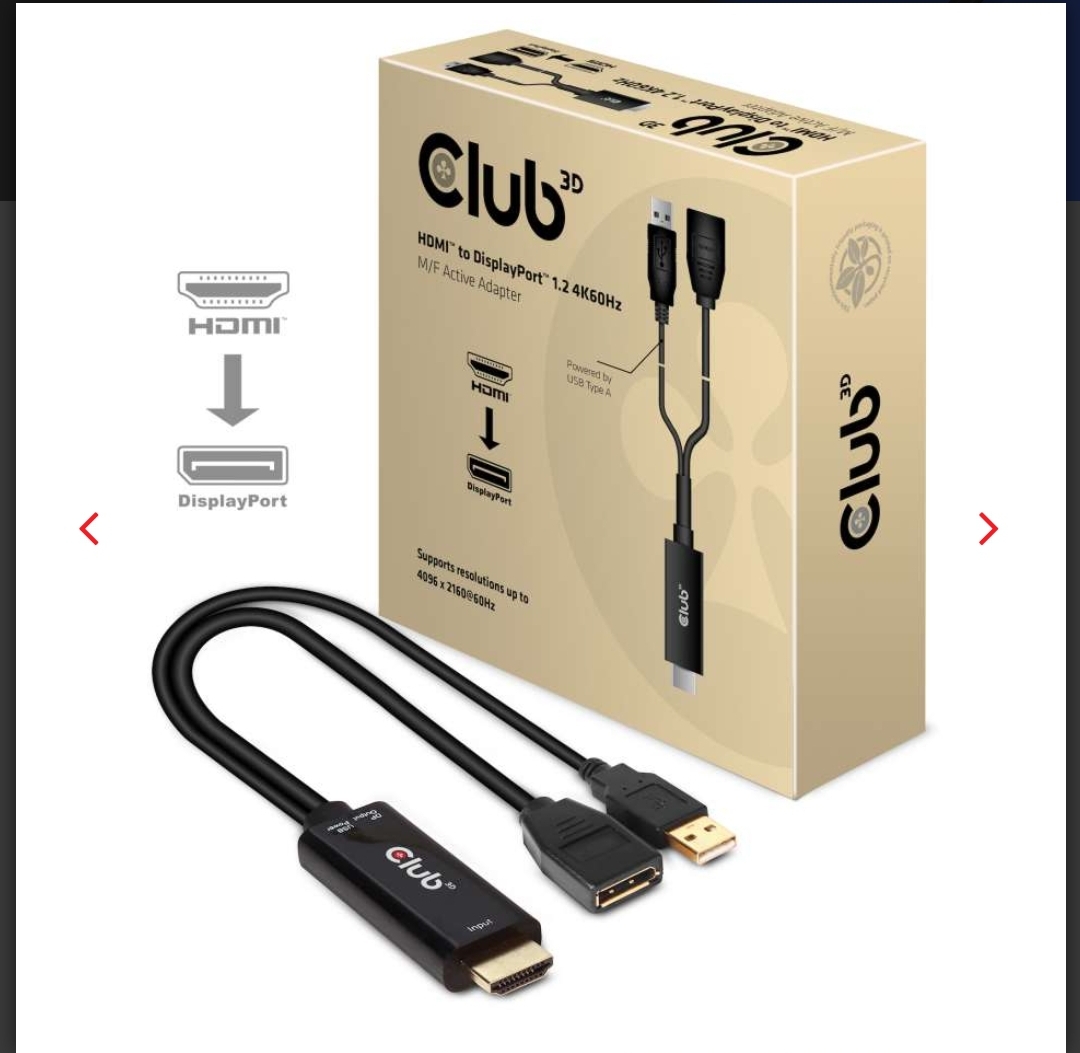
HDMI TO DISPLAYPORT

Updated on 03-12-2020 in Adapters and Cables.
  • Close
  • Delete
2 0 on 07-03-2020
CLUBBIE

Something is was looking forward to for a while to utilize the full potential of my monitor even with devices that does not have a Displayport connection.

Check out the CAC-1331

https://club-3d.com/en/detail/2491/hdmit_to_displayportt_4k60hz_m-f_active_adapter/

Insert Image Size must be less than < 5MB.
Save Cancel
Reply
0 0 on 10-03-2020
EuroGamer

https://twitter.com/pinkiesales_ is also selling their version of this for $100. I got mine months ago and it’s still working fine I’m able to play on my Xbox one x at 4k 60hz through my up3218k monitor

Insert Image Size must be less than < 5MB.
Save Cancel
Show more replies
Reply
Reply Cancel
0 0 on 03-12-2020
joevt

I have tried the CAC-1331 with my Acer XV273K display and Radeon RX 580 (using CAC-2068 cable).

The CAC-1331 can do 4096×2304 but some timings cause a problem. For example, the native timing of the 21.5″ LG UltraFine 4K display does not work through the CAC-1331 even though the XV273K can accept the timing from HDMI 2.0 or DisplayPort.

[email protected] 142.198kHz 593.82MHz h(8 32 40 +) v(1 8 57 -) 16:9

Some CVT-RB timings for 4096×2304 do work (50Hz, 51Hz, 53Hz, 57Hz, 58Hz) but some do not (52Hz, 54Hz, etc.)

Some timings have the wrong colors (3840×2160 594MHz has wrong colors but 3840×2160 at 533MHz is good).

I could not get any 5120×1440, 5120×2160, or 5120×2880 timings to work even with refresh rate set as low as 30Hz.

Kind of disappointing. I would expect any timing to work as long as the pixel clock is 600 MHz or less (the limit of HDMI 2.0 at 8 bpc and no chroma sub sampling). It would be cool if it could support higher pixel clock with chroma sub sampling (for example, 4:2:0 can do 1200 MHz with 8 bpc; DisplayPort 1.2 is limited to 4:2:2 which can do 1080 MHz at 8 bpc – good enough for 5K 60Hz).

 

Insert Image Size must be less than < 5MB.
Save Cancel
Show more replies
Reply
Reply Cancel
Login to Reply
Insert Image Size must be less than < 5MB.
Reply Cancel
  • All Posts
  • Following Posts
  • Blog
Copyright 2026 Club 3D B.V.